
- https://api.taidalos.com/v1/media-searches/execution/{media_search_id}
- https://api.taidalos.com/v1/media-searches/aggregate/{media_search_execution_id}
Warning: This works for prototyping and trying out the API. However, calling those endpoints in production can lead to rate limiting issues. That’s why we recommend using webhooks.We use Svix to handle the webhooks for you and us. Their focus is solely on webhook security and how to make them easy to use and effective 24/7 (like we do with adverse media).
What are webhooks?
Webhooks are API calls to your server to inform you that a certain event has happened. The payload of an event contains information to take next steps (e.g., fetch data and save to a database, send an email, etc.).Step-by-step
1. Set up a POST endpoint to receive webhooks
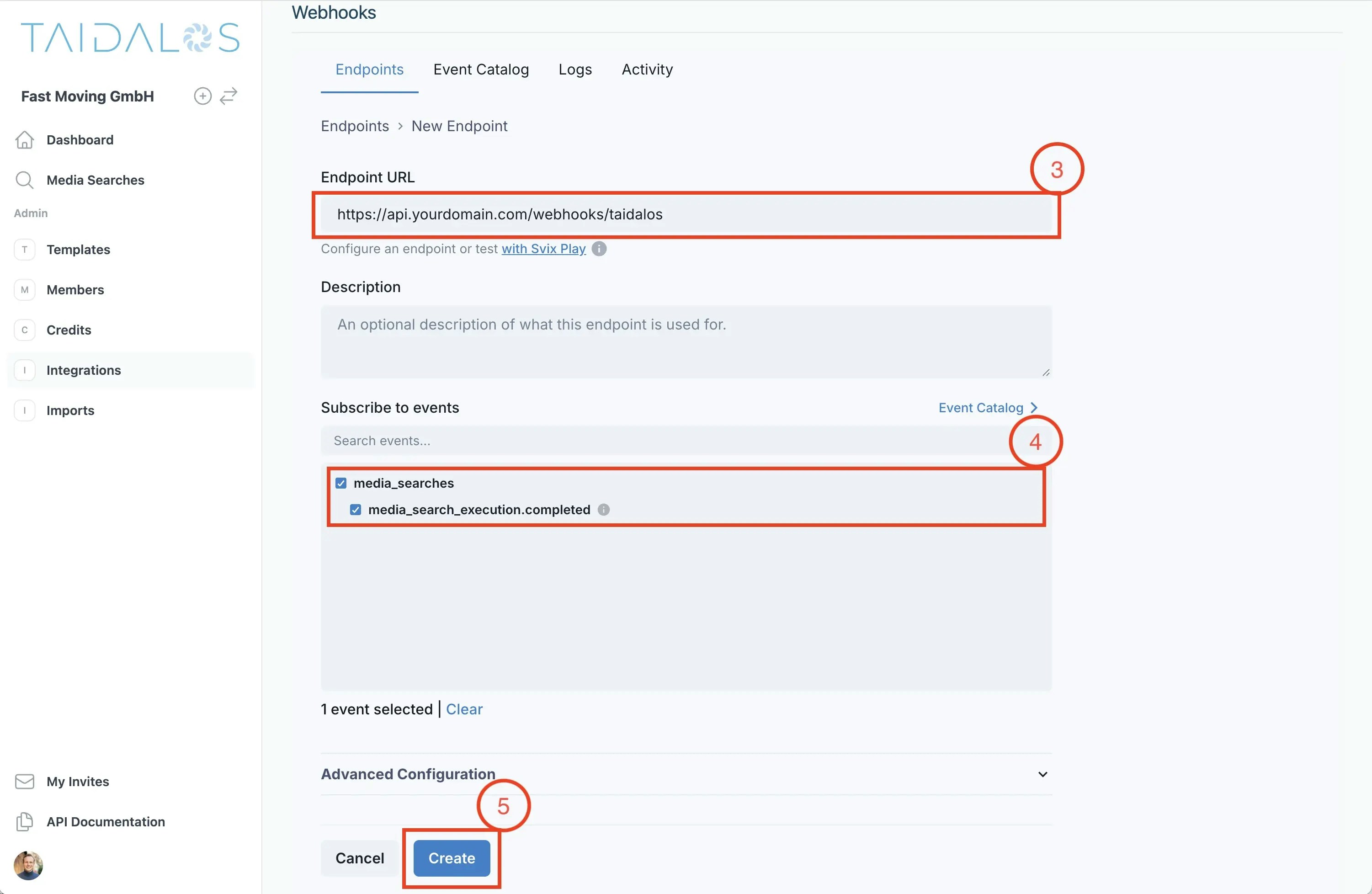
On your server, set up a POST endpoint to receive webhook events. An example endpoint for your application could look like:https://api.yourdomain.com/webhooks/taidalos.
Make sure that there is no authentication middleware before hitting the handler. Step 3 discusses how to secure your
webhook.
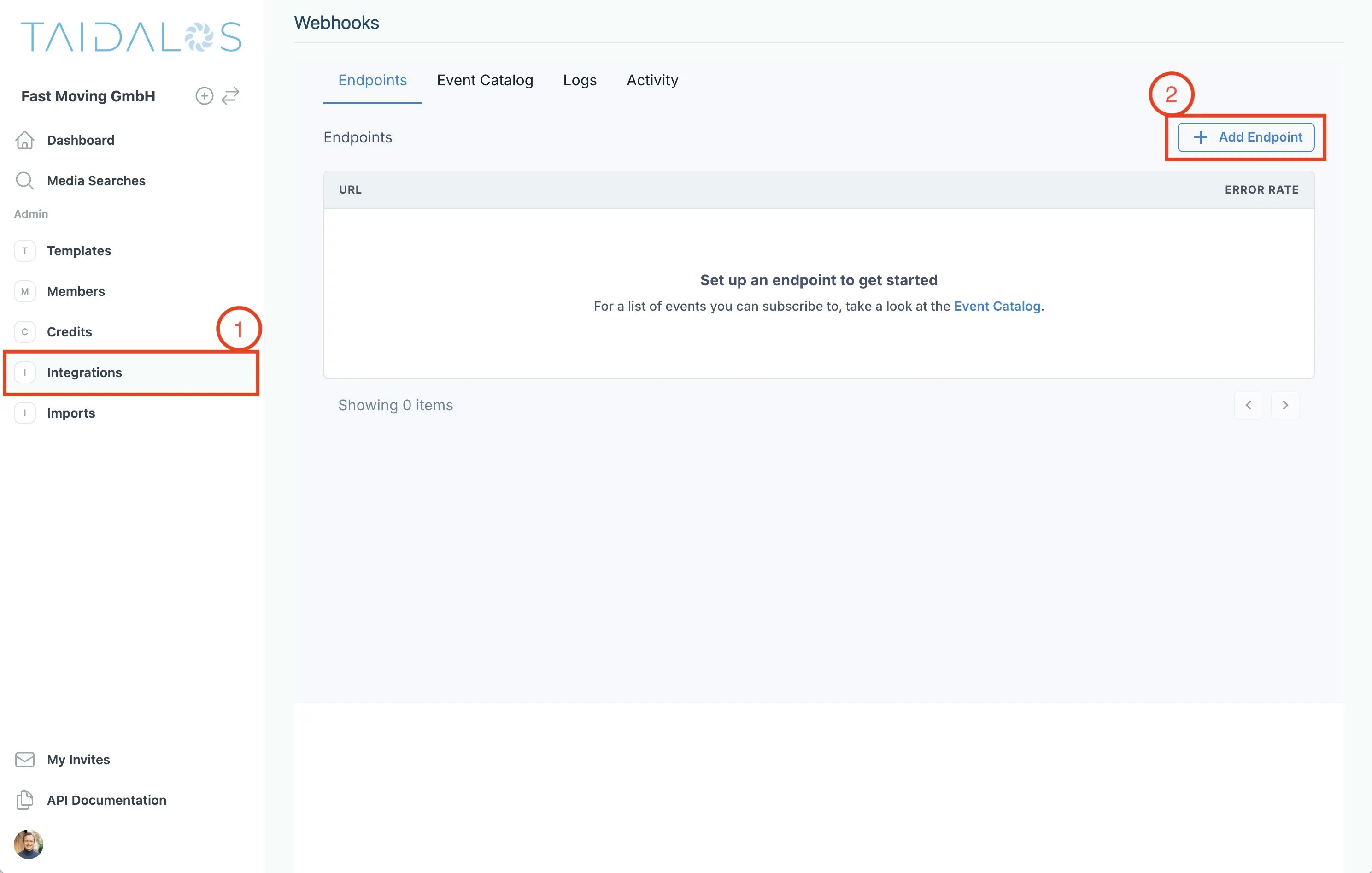
2. Set up your webhook endpoint in Taidalos
Sign in to or create an account if you have not already (no credit card required). Next, go toIntegrations and create a new webhook referencing the endpoint you have created in step 1 and subscribe to
the events you are interested in.
3. Process and verify incoming events
First, get the secret from the webhook settings.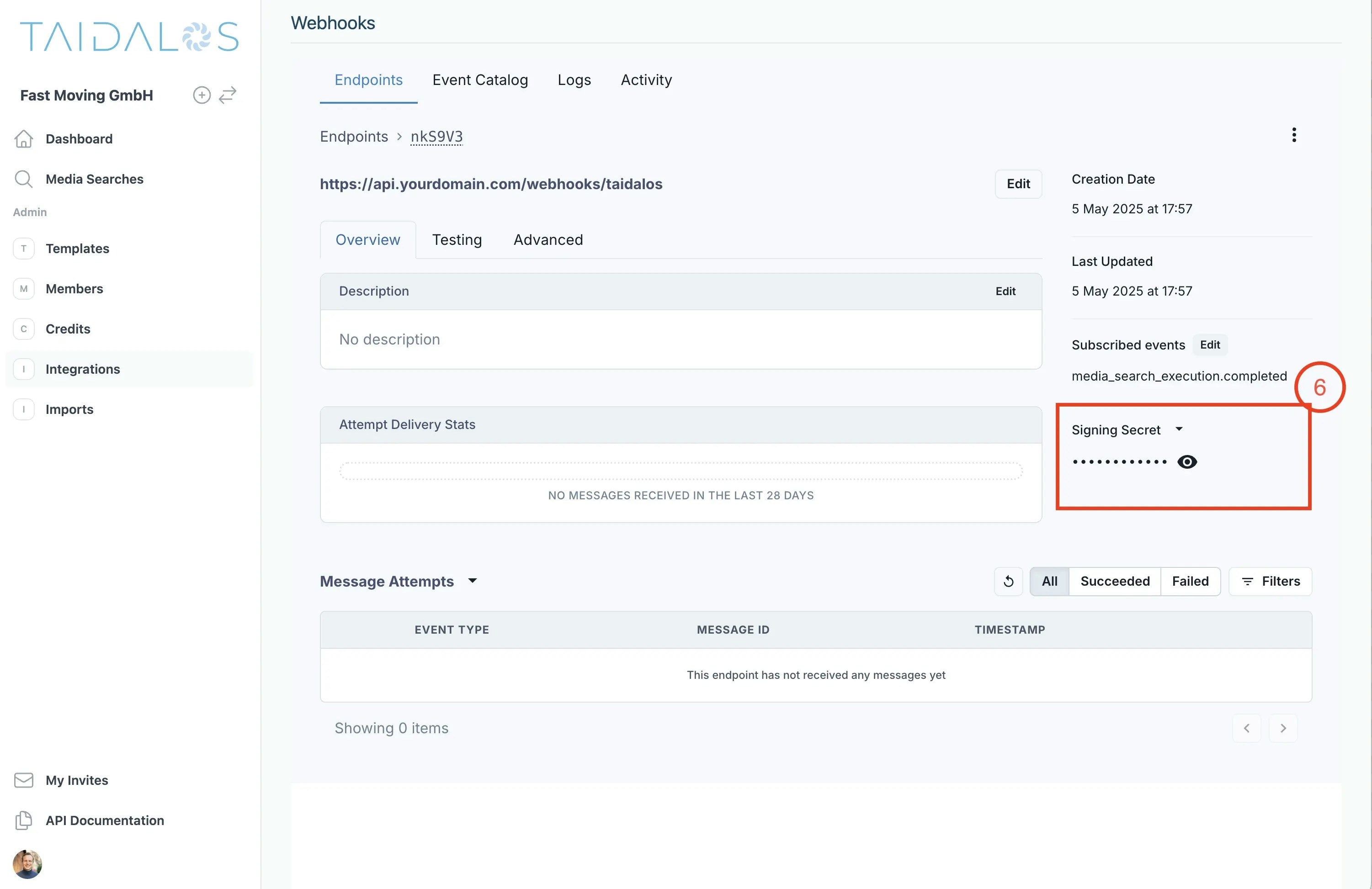
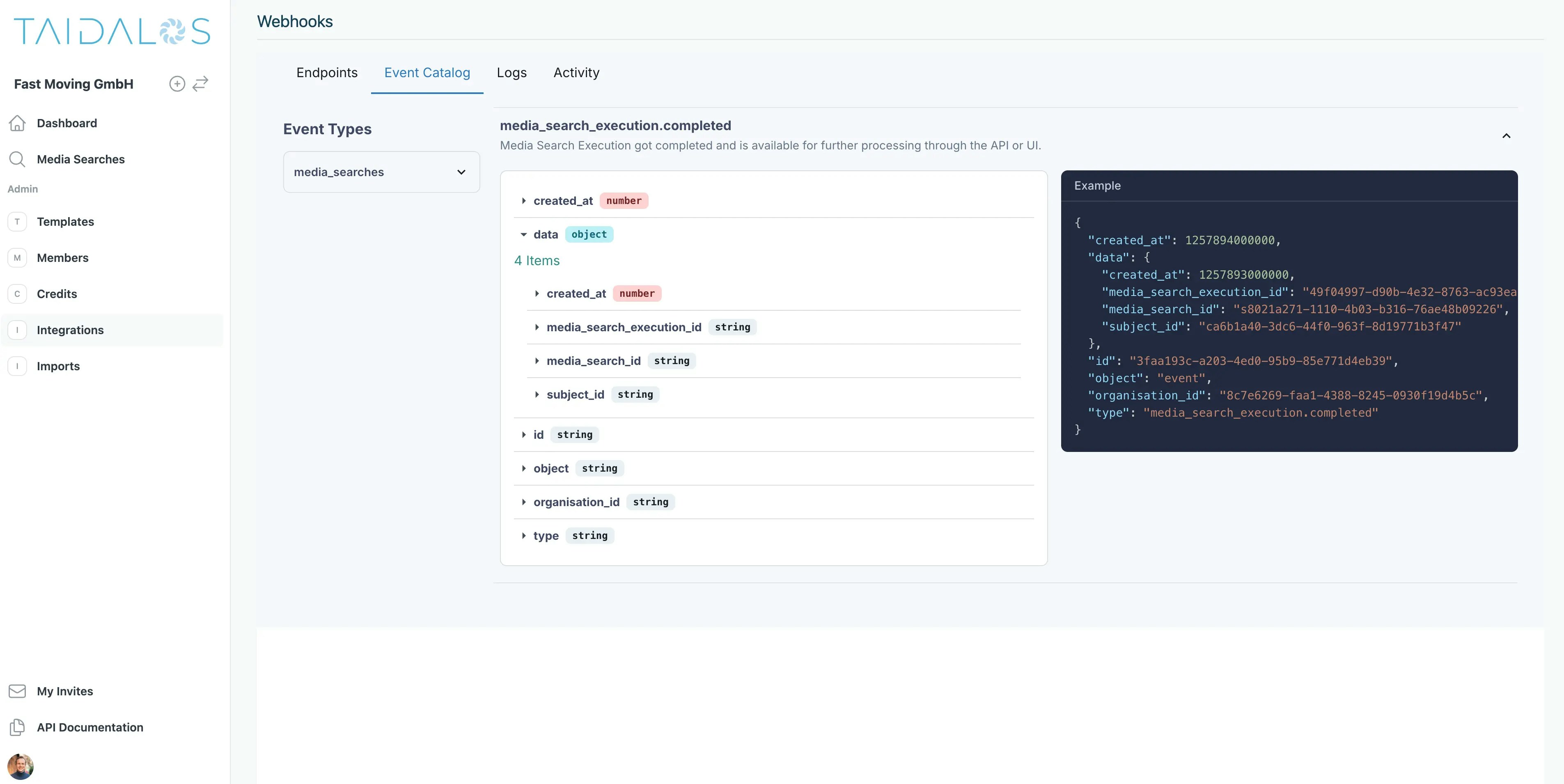
4. Process the event
This is the event payload for themedia_search_execution.completed event
- GET https://api.taidalos.com/v1/media-searches/aggregate/{media_search_execution_id}
- will return the results for the media search execution
- GET https://api.taidalos.com/v1/media-searches/execution/{media_search_id}
- will return the results for the entire media search (including the execution).